3PL quoting software
You priced that account two years ago. Nothing has checked it since.
RateFlow builds the quote from your own rate card, keeps the rates your client agreed to, and reads your invoices back in, so the deal you sold and the deal you got end up on the same screen.

RateFlow is quoting and client management software for regional third-party logistics providers. It turns a 3PL's rate card into a quote template, sends prospects a portal where they adjust volumes and accept with a typed name, freezes the accepted rates as the account record, and reads the 3PL's own invoices back in each month to show quoted versus actual and flag accounts whose billing has drifted from the card.
Who it is for
Regional 3PLs who quote out of a spreadsheet and find out later.
A sales desk of one to five people. Accounts that have not been repriced in years. Agreements that take an afternoon to find. Billing that goes out as a PDF from whatever you bill from.
Not for freight brokers, not for companies with a pricing department, and not for anyone who wants to sign up and start today: accounts are set up by hand, on a call, with your rate card.
The problem
Your rates live in a file named FINAL_v7.
A client tells you they will move four hundred pallets. Eighteen months later they are storing six hundred and thirty, and nothing in the way you work would ever surface it.
The quote was a spreadsheet, the agreement is an email attachment somewhere, and the invoices go out from accounting without anyone holding them against what was sold.
What changes in your week
The twentieth quote takes as long as the second.
Quotes from a template
Your services and rates are the starting point: container unload, receiving, storage, pick and pack, B2B outbound, freight and parcel tables, returns, minimum monthly, custom lines. A quote can move off the standard rate for one account without editing the template.
Two scenarios, one quote
Move-in pricing and steady state, or two volume assumptions, side by side. Paste the prospect's email and it extracts pallets, orders and SKUs; ask for what is missing with a structured request.
A portal instead of a PDF
The client moves volumes against the same sheet and watches it re-price. Questions land on the quote, threaded. They accept by typing their name, timestamped, with no e-signature seat.
The accepted sheet is the record
The portal becomes the permanent account page. The accepted snapshot is downloadable and identical to what they signed. Agreements file against the account, searchable.
Invoices read themselves in
Send the invoice exactly as you do today. RateFlow reads client, invoice number, period, line items and rates, files it to the account once it has learned your billing codes, and asks when it is not sure.
Drift, flagged
Quoted versus actual by month for billing, storage, orders and containers. Accounts that changed shape, found against the median. Rates that drifted off the card. Partial months marked as partial.
How it works
Quote it. Send it. Freeze it. Check it.
- 1
Quote it
Build off your own rate card in a three-column builder: your services, the line you are editing, and the client's sheet updating beside it. Revisions are new versions linked to the one before.
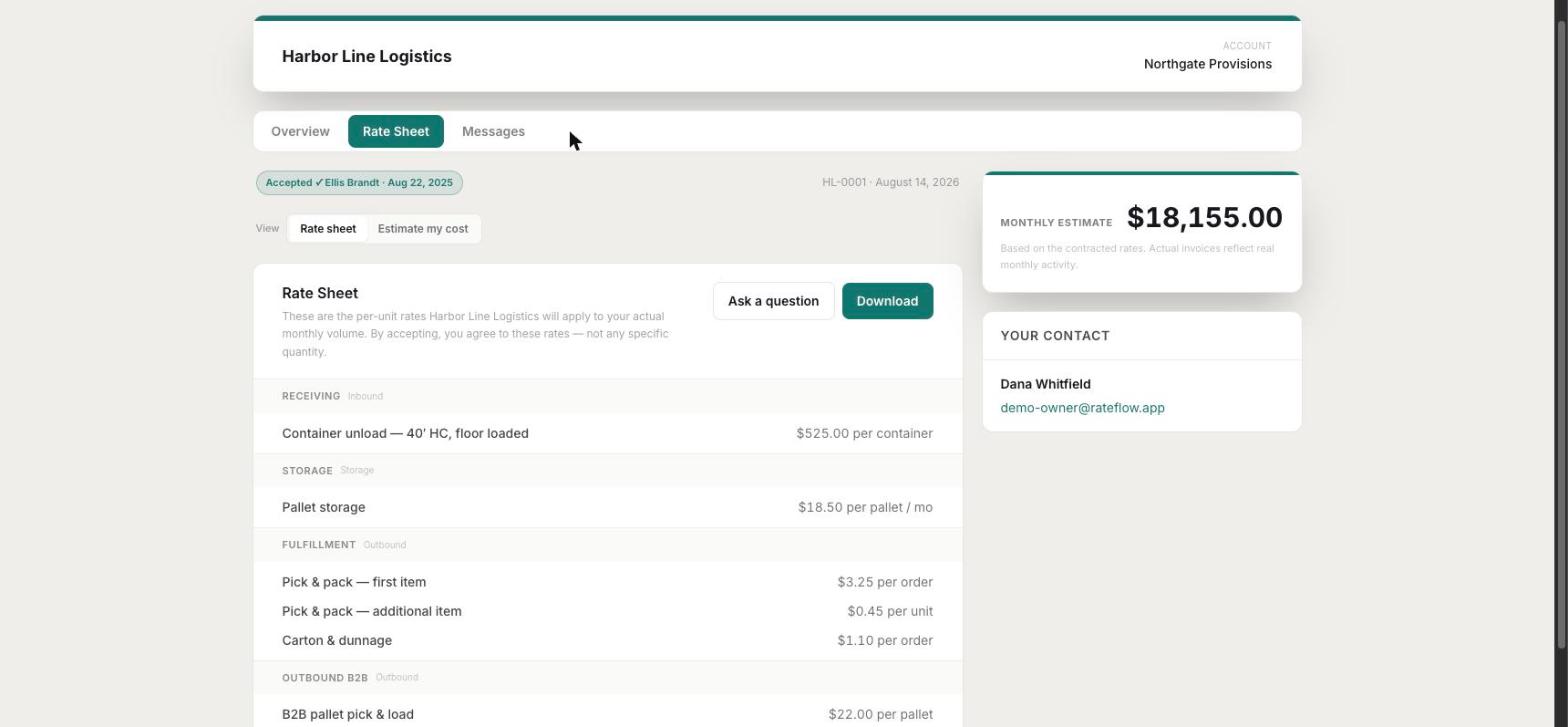
The sheet the builder produces: services by section, per-unit rates and a monthly estimate, as the client will see it. Demo company data. - 2
Send it
The quote goes out as an email with the portal link in it. The client opens a portal, not an attachment, moves their own volumes and watches the sheet re-price.
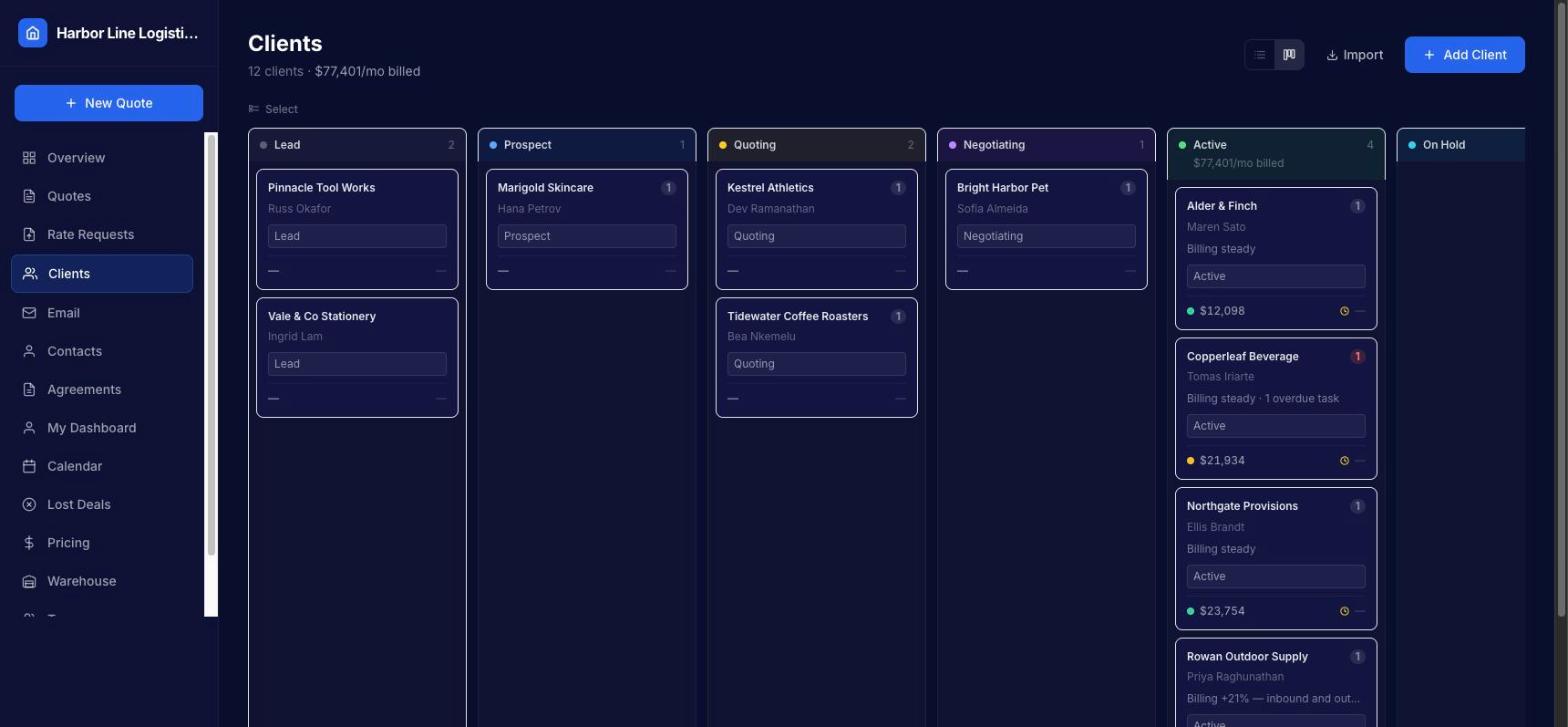
Once sent, the quote sits on the pipeline board with monthly billed totals and account health on each card. - 3
Freeze it
They type their name and the rates they accepted become a snapshot: the version you can point at eighteen months later. Pre-RateFlow accounts get a baseline so their history starts somewhere.
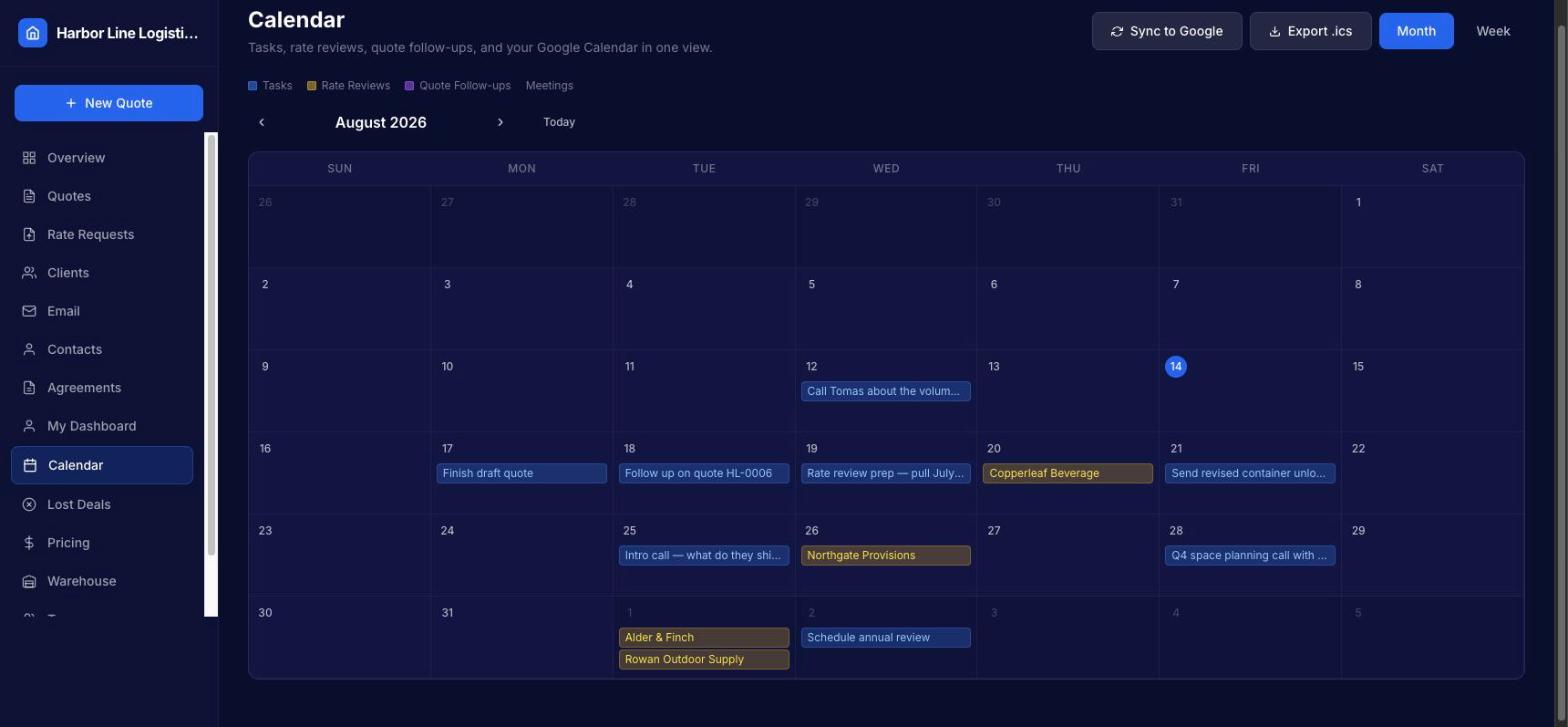
The calendar: rate review dates and quote follow-ups surface themselves on one month view. - 4
Check it
Your invoices come back in on their own and get held against what you quoted. Review dates surface themselves on the dashboard and the calendar, with the numbers already assembled for the conversation.
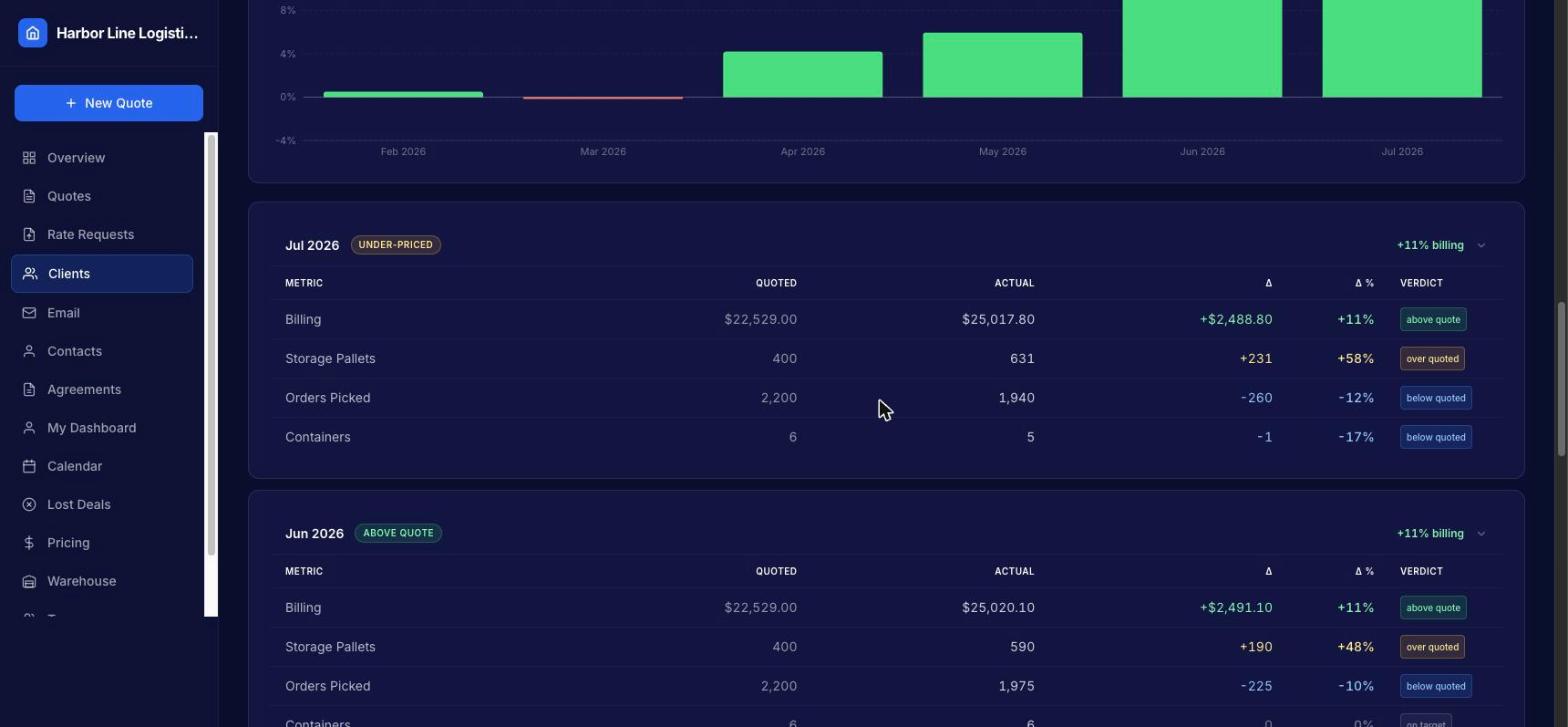
Quoted versus actual by month, with the under-priced month flagged. Demo company data.


The other two
How RateFlow connects to the rest.
ShipFlow does the work you quoted
The services on the accepted sheet, unload, storage, pick and pack, B2B out, are what ShipFlow records and bills. RateFlow does not run the warehouse, and says so.
QualityFlow keeps the instructions
The client's handling instructions live in QualityFlow, revision-controlled, and are the test when a shipment goes wrong.
The CRM around it
Pipeline board or list, email in one place, contacts and notes with an author and a date, tasks with overdue highlighting, a calendar, and CSV import with duplicate detection.
Alone or bundled
RateFlow is sold on its own and runs without the other two products. Take it with ShipFlow, RateFlow or QualityFlow and you have one vendor, one support inbox and one walkthrough for the whole client lifecycle. How the three fit together ›
Licensed or Full SaaS
Buy a licence and run RateFlow on your own infrastructure with a quarterly maintenance and updates fee, or take it as Full SaaS where we host, run, secure and update it for a monthly per-client subscription. Compare the two ›
FAQ
Questions about RateFlow
Is RateFlow carrier rate shopping?
No. RateFlow quotes your 3PL services to your clients: storage, handling, unload, pick and pack, freight and parcel tables from your own card. Comparing carrier prices for a parcel happens at the pack bench in ShipFlow.
Do I need ShipFlow to use RateFlow?
No. RateFlow runs on its own and never touches your warehouse system. It reads your invoices, whichever system produces them, and holds them against the quote.
How do invoices get into RateFlow?
You send them exactly the way you send them today, out of whatever you bill from. RateFlow reads the PDF for client, invoice number, period, line items and rates, files it once it has learned your billing codes, and puts anything it is not confident about in a queue for you.
Can a client change the quote in the portal?
They can change their volumes and watch the sheet re-price, and they can ask questions on the quote. They cannot change a rate. Acceptance is a typed name with a timestamp, and the accepted sheet becomes a fixed snapshot.
What can RateFlow not tell me?
It does not calculate margin without your labour cost. It only knows the invoices it has received, so billing lag has to be read with that in mind. It suggests findings; it never changes a rate or an invoice on its own.
Is it self-serve?
No. Accounts are set up on a call with your rate card. Book a walkthrough, and if it fits we set you up.
See RateFlow on your own scenarios.
A live walkthrough, then a written quote. No signup form, no trial account to figure out alone.