3PL warehouse management system
A WMS for 3PLs, where every client gets its own portal and the floor runs on phones.
Receiving, inventory, orders, waves, picking, pack and ship, billing and reports. Every client fenced off at the database, every worker on a phone, every store connected from the portal.

ShipFlow is a warehouse management system for third-party logistics warehouses. It records what a 3PL receives, stores, picks, packs, ships and bills for each of its clients, keeps every client's data isolated in one system, gives each client a portal into its own orders and stock, and connects to the stores, marketplaces, carriers and files that orders arrive from and go back to.
Who it is for
Regional 3PLs with more than one kind of client.
You ship pallets for a distributor in the morning and parcels for a Shopify brand in the afternoon, from the same building and often the same stock. You have a handful to a few dozen clients, each convinced it is the only one. Your team is on the floor, not at a desk.
You are on spreadsheets, a legacy WMS priced per seat and per module, or an eCommerce shipping tool that falls over the first time a client sends a purchase order for forty pallets.
The problem
The tools were built for someone else.
eCommerce shipping tools know parcels and one store. They do not know a pallet, a lot, a license plate, a client PO or a hazmat declaration, and they cannot show one client only its own stock.
Legacy WMS platforms know all of that, and charge for it by the seat, the module and the connector, run on RF guns you have to buy, and make your staff the reporting department for every client who wants to know what shipped.
What changes in your week
Fewer calls, fewer spreadsheets, fewer walks to the desk.
Clients serve themselves
Each client logs into the portal and sees its own orders, inventory, receipts, invoices and reports. It places orders, uploads documents, connects its own Shopify or Walmart store and manages its own users. The stock-report email stops.
Paper becomes records
A purchase order, ASN, bill of lading or packing list arrives as a PDF. The fields are extracted with confidence flags, a person approves them, and the receipt or order exists. Nobody keys it twice.
The floor works on phones
Receiving, put-away, moves, picking and pack-and-ship run in a browser on any phone. Picks are scan-verified with the item photo shown, and the exception sheet covers not found, short, wrong item, damaged and will not scan, with an optional photo.
Every unit is traceable
On-hand, allocated and available by item, lot, expiry and license plate, plus unit-level UIDs and serials. Pallet, case, inner pack and each levels each carry their own barcodes. Unit trace and lot reports answer the recall question in one screen.
Labels at the bench
Scan units into a package, scan a standard box to fill dimensions and tare, enter the gross weight, rate and buy the label, and tracking goes back to the channel the order came from. LTL leaves with a PRO and a printed bill of lading.
Billing as it happens
Charge codes and a rate card per client, storage accrued as it happens, billing activity and invoices the client can see in its portal. Parcel quotes for the phone call that asks what it would cost to send this to 33101.
How it works
From the dock to the invoice.
- 1
Receive
Expected receipts by the client's PO, ASN or container reference, with supplier and expected arrival. Count line by line, keep damaged stock apart, put away by location. Dock-to-stock and inbound variance reports close the loop.
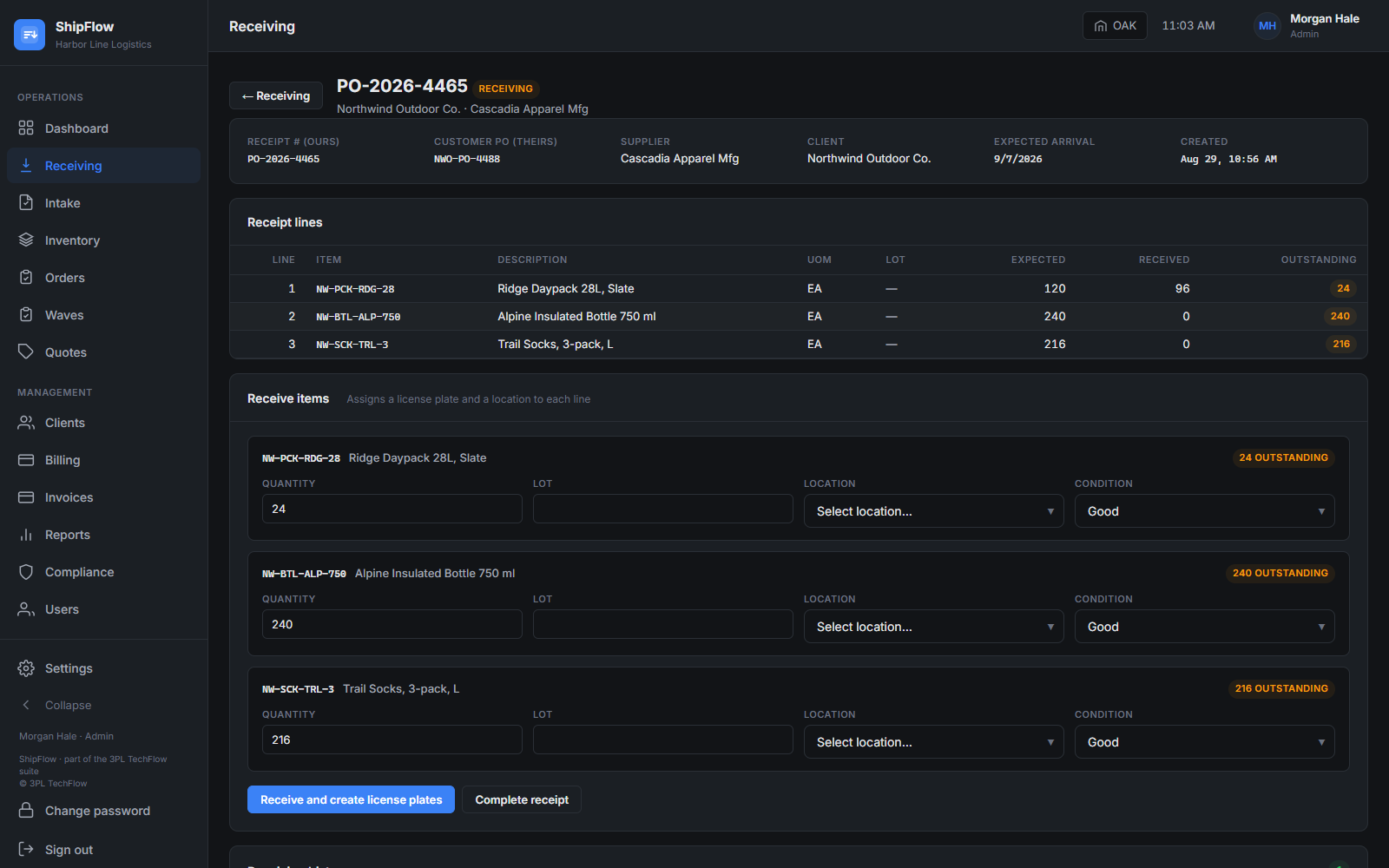
A receipt: expected lines, counted quantities, damaged kept apart. - 2
Store
Inventory by item, lot, expiry and license plate, with pack levels, case breaks, cycle counts and a variance report, aging and lots expiring.
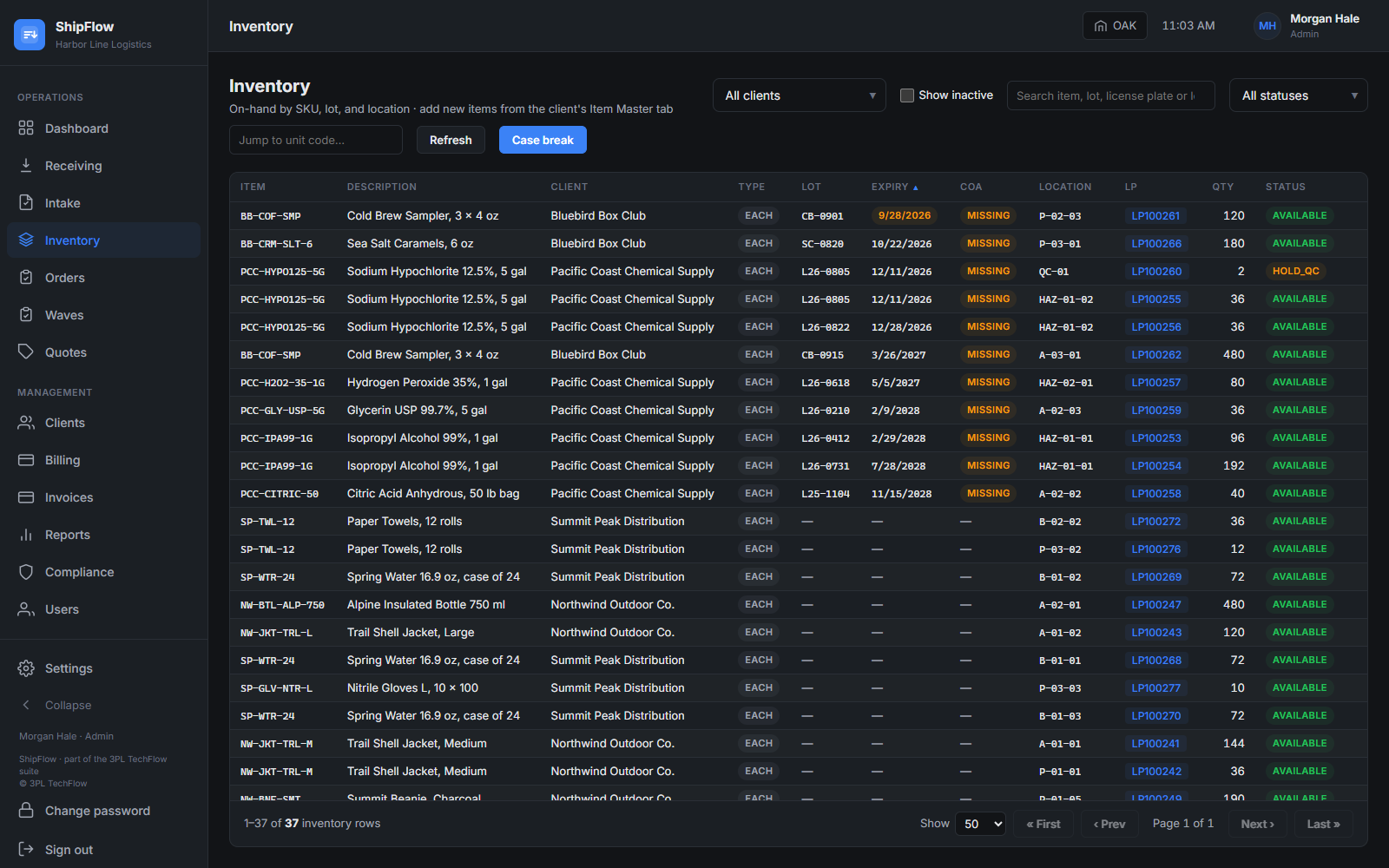
Inventory by item, lot, expiry and license plate. - 3
Take orders
From Shopify, Walmart Marketplace, ShipStation, SFTP and CSV files, the public API, or typed into the portal. Channel changes and cancellations are honoured until picking starts. After allocation, an order is unallocated with a PIN and a reason before it is edited.
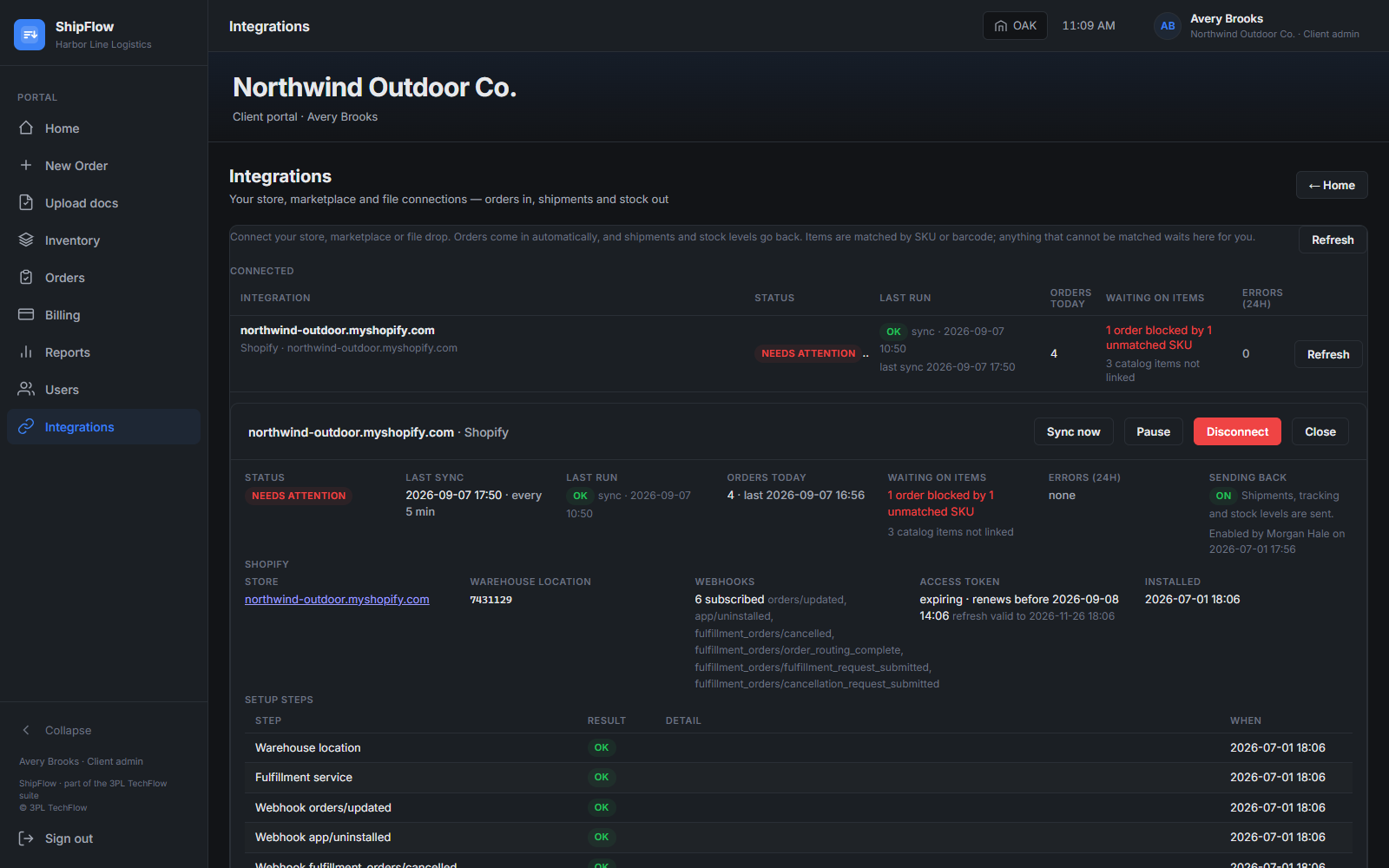
The portal integrations page: a connected store, orders in, anything held for a person. - 4
Pick, pack, ship
Waves from a label batch or a list of order numbers. Scan-verified picking on a phone. At the bench: package, box, weight, label, tracking. SDS and COA merge into one outbound docs pack where the client needs it.

Floor mode on a phone: one pick at a time, scan to confirm. - 5
Bill and report
Rate cards per client, storage accrual, invoices. Twenty-one reports covering inbound, inventory, outbound, billing and labour, each exported to CSV, Excel or PDF.
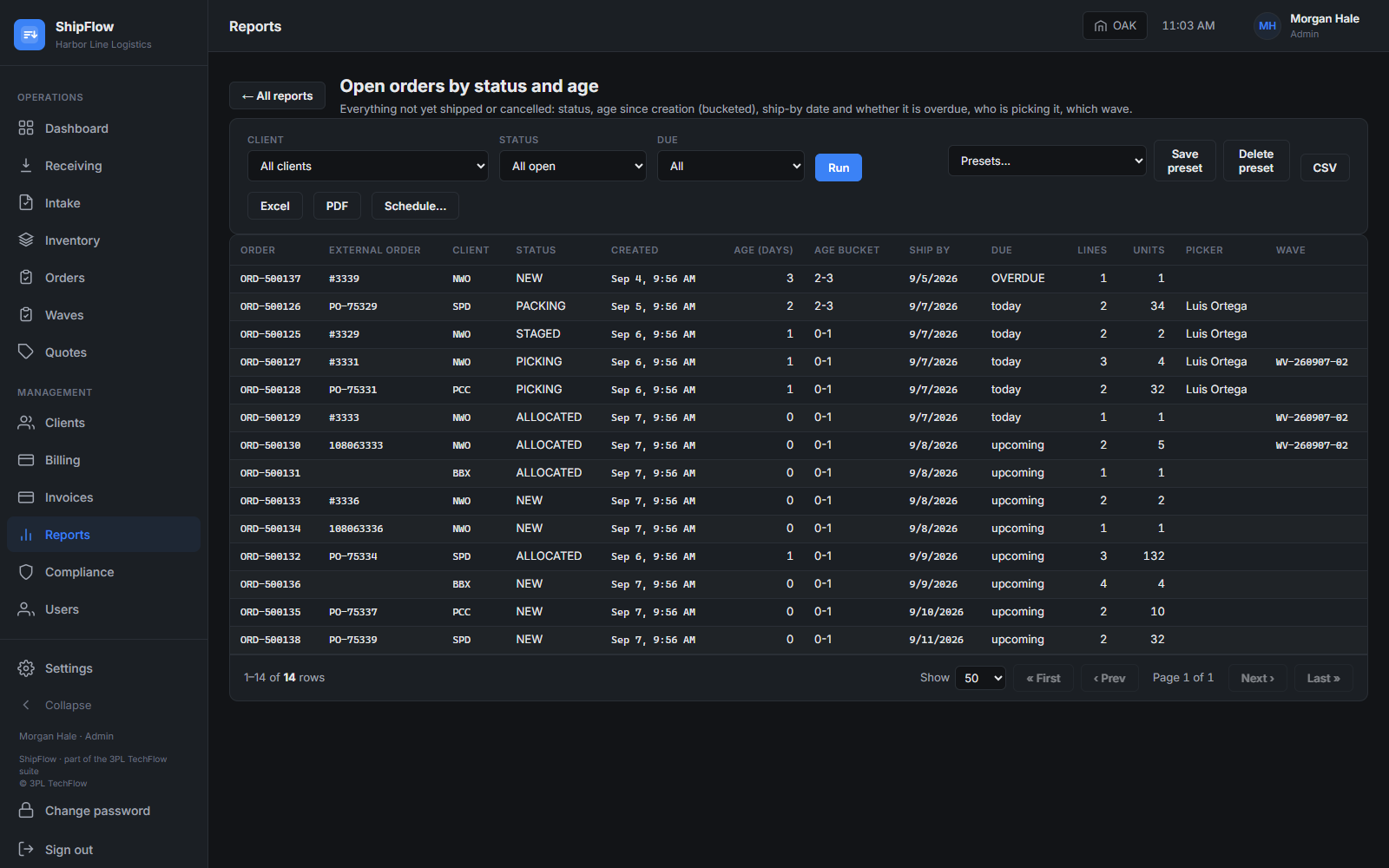
Reports with filters and export to CSV, Excel or PDF.


The other two
How ShipFlow connects to the rest.
RateFlow quotes the account ShipFlow serves
The services you priced in RateFlow, container unload, storage, pick and pack, B2B out, are the work ShipFlow records and bills.
QualityFlow proves the work was done right
A short shipment or a damaged carton on the ShipFlow floor is a quality event in QualityFlow, reported from the same phone, classified against the client's instruction.
Channels, files and the API
Shopify, Walmart Marketplace, ShipStation, SFTP and CSV, and a public REST API with signed webhooks, all through one pipeline that holds anything it cannot match for a person.
Alone or bundled
ShipFlow is sold on its own and runs without the other two products. Take it with ShipFlow, RateFlow or QualityFlow and you have one vendor, one support inbox and one walkthrough for the whole client lifecycle. How the three fit together ›
Licensed or Full SaaS
Buy a licence and run ShipFlow on your own infrastructure with a quarterly maintenance and updates fee, or take it as Full SaaS where we host, run, secure and update it for a monthly per-client subscription. Compare the two ›
FAQ
Questions about ShipFlow
Can one client ship both pallets and parcels from the same stock?
Yes. An item carries pallet, case, inner pack and each levels, each with its own barcodes, so a B2B order allocates cases while a DTC order allocates eaches from the same license plates. Case breaks are recorded when a case is opened.
How does ShipFlow keep clients apart?
Every table that holds client data carries the owning client, and row-level security in the database enforces the boundary on every query. Portal users only ever reach their own company's rows, and integrations run per client with their own credentials.
Do my workers need RF guns?
No. Floor mode runs in the browser on any phone, with large scan-first screens for receiving, put-away, moves, picking and pack-and-ship. A USB or Bluetooth scanner works where you want one.
What happens when a store sends an order with a SKU we do not know?
The order is held, not guessed. The unmatched SKU appears on the client's integrations page and in the office, a person links it to an item or creates one, and the order is processed immediately after.
Can we change an order after it has been allocated?
Yes, deliberately. An allocated order is unallocated with a PIN and a reason, which releases the stock and returns the order to new, then edited and re-allocated. If anything has already been picked, that pick is unpicked first through its own PIN-gated step.
Does ShipFlow do billing?
Yes. Each client has a rate card of charge codes, storage is accrued as it happens, and billing activity rolls into invoices the client can see in its portal. Payment collection happens outside ShipFlow.
Which reports are there?
Twenty-one: on-hand, units, aging, lots expiring, unit trace, cycle-count variance, dock-to-stock, inbound variance, open orders, order status, fill rate, shipments by carrier, shipped units, pick exceptions, scan rejections, storage occupancy, billing activity, invoices, labour productivity and a portal inventory summary. Each has filters and exports to CSV, Excel or PDF.
See ShipFlow on your own scenarios.
A live walkthrough, then a written quote. No signup form, no trial account to figure out alone.